Quick Tip: How to prevent HTML in Umbraco Form fields

Howdy
I just wanted to shared a quick code snippet with you all. I have been working for a client where they needed to ensure no HTML could be submitted to a form using Umbraco forms.

Unfortunately out of the box, Umbraco Forms does not support this feature, but with the documentation and extension points available to us, we are able to ensure we apply validation to prevent HTML being submitted into an Umbraco Form.

But with Umbraco Forms FormValidateNotification we are able to validate the value being submitted to a form field and using RegEx ensure that it does not contain HTML, if so it will return a validation error message back to the user on the form.

Show me the code

Forms Validate Notification Handler

/// <summary>
/// Referred from Docs
/// https://docs.umbraco.com/umbraco-forms/developer/extending/adding-an-event-handler
/// </summary>
public class FormValidateNotificationHandler : INotificationHandler<FormValidateNotification>
{
	public void Handle(FormValidateNotification notification)
	{

		var form = notification.Form;
		var httpCtx = notification.Context;

		if (notification.ModelState.IsValid == false)
		{
			return;
		}

		if (httpCtx.Request.HasFormContentType is false)
		{
			return;
		}

		foreach(var field in form.AllFields)
		{
			if(field is not null)
			{
				if (FormDoesNotContainField(field, httpCtx))
				{
					continue;
				}

				var postedValue = httpCtx.Request.Form[field.Id.ToString()].ToString().Trim();

				if (ContainsHtml(postedValue))
				{
					notification.ModelState.AddModelError(field.Id.ToString(), "HTML is not allowed");
				}
			}
		}
	}

	private bool FormDoesNotContainField(Field field, HttpContext httpCtx) => httpCtx.Request.Form.Keys.Contains(field.Id.ToString()) is false;

	// https://uibakery.io/regex-library/html-regex-csharp
	private readonly static Regex _htmlTagRegex = new Regex("<(?:\"[^\"]*\"['\"]*|'[^']*'['\"]*|[^'\">])+>", RegexOptions.Compiled);

	private bool ContainsHtml(string input) => _htmlTagRegex.IsMatch(input);
}
How to refresh the Umbraco V14+ Bellissima content tree with code

Hello all,
It’s been a while since I have shared a quick tip working with Umbraco Bellissima aka the modern WebComponent built Umbraco backoffice that has been available since Umbraco V14+.

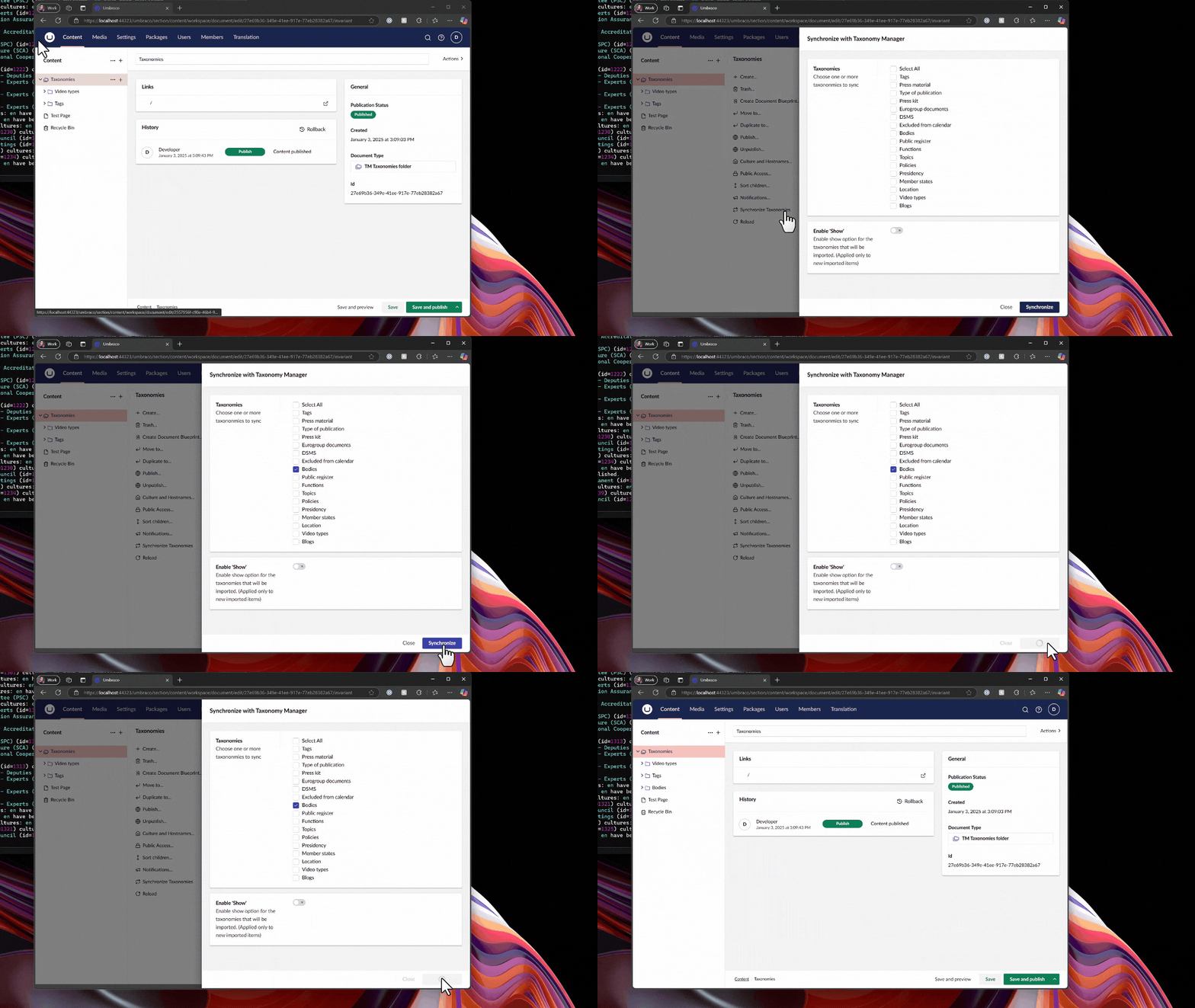
I have been working for a client where their requirements was to import and sync nodes from another instance and a nice little UX was when the nodes have finished importing that the tree and its child nodes (if expanded), would automatically refresh and show the new nodes.

What does this do?

Rather than me try to explain this, sometimes with a quick gif/video I can show you what we are trying to achieve.

An animated gif showing a custom modal updating and refreshing the content tree to see new content nodes immediately

Just show me the code snippet

// Imports
import { UMB_ACTION_EVENT_CONTEXT, UmbActionEventContext } from "@umbraco-cms/backoffice/action";
import { UmbRequestReloadChildrenOfEntityEvent } from "@umbraco-cms/backoffice/entity-action";
import { UMB_DOCUMENT_ENTITY_TYPE } from "@umbraco-cms/backoffice/document";

// Properties of class
#eventContext: UmbActionEventContext | undefined;

// Constructor
constructor() {
    // Consume the contexts & assign
    this.consumeContext(UMB_ACTION_EVENT_CONTEXT, (eventContext) => {
        this.#eventContext = eventContext;
    });
}

// Example click method assigned to an uui-button
#clickSyncNodes(ev: Event) {
    // Call some API to do some work and import content nodes
    // ...

    // Use the notification context to show a success message
    // ...

    // Sends out an event to reload the children of the tree
    // If the tree is expanded then you will see the new nodes appear
    this.#eventContext?.dispatchEvent(new UmbRequestReloadChildrenOfEntityEvent(
        {
            // This is the unique GUID/key of the current node in the tree to refresh
            // Use a GUID passed into a modal instead of hardcoded value as in this demo code
            unique: "f57456d6-9f8b-4943-8b85-01a44e023dde",
            
            // Type of entities to reload, could be things like media, members or own custom entity types
            entityType: UMB_DOCUMENT_ENTITY_TYPE
        }
    ));
};

I hope you found the snippet of some use, if you use this in your codebase. Drop me a message in the comments. I would love to hear about your use case and why you needed to use the UmbRequestReloadChildrenOfEntityEvent

Until next time…
Happy Hacking 👋