Hello all,
It’s been a while since I have shared a quick tip working with Umbraco Bellissima aka the modern WebComponent built Umbraco backoffice that has been available since Umbraco V14+.
I have been working for a client where their requirements was to import and sync nodes from another instance and a nice little UX was when the nodes have finished importing that the tree and its child nodes (if expanded), would automatically refresh and show the new nodes.
What does this do?
Rather than me try to explain this, sometimes with a quick gif/video I can show you what we are trying to achieve.
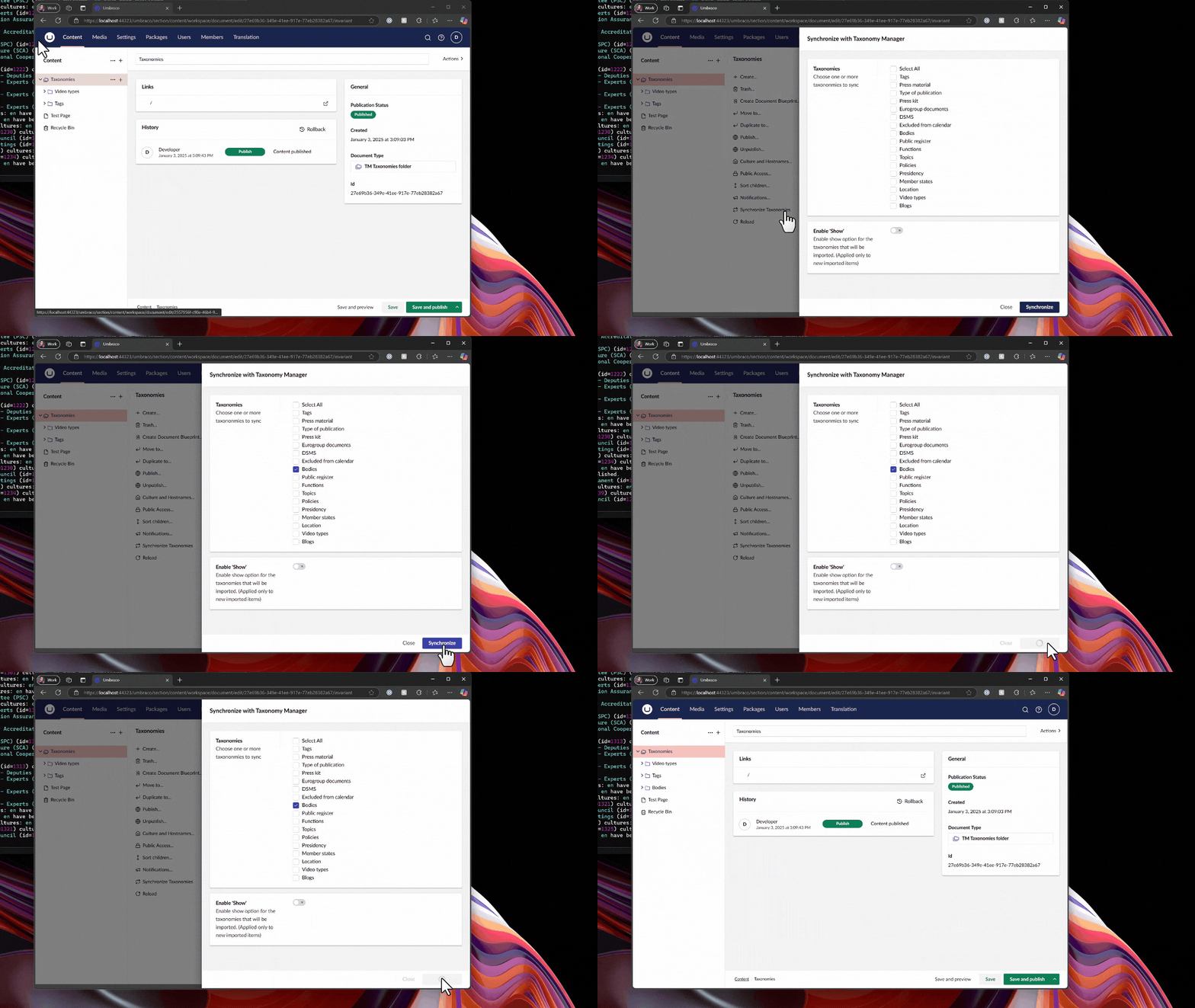
Just show me the code snippet
// Imports
import { UMB_ACTION_EVENT_CONTEXT, UmbActionEventContext } from "@umbraco-cms/backoffice/action";
import { UmbRequestReloadChildrenOfEntityEvent } from "@umbraco-cms/backoffice/entity-action";
import { UMB_DOCUMENT_ENTITY_TYPE } from "@umbraco-cms/backoffice/document";

// Properties of class
#eventContext: UmbActionEventContext | undefined;

// Constructor
constructor() {
    // Consume the contexts & assign
    this.consumeContext(UMB_ACTION_EVENT_CONTEXT, (eventContext) => {
        this.#eventContext = eventContext;
    });
}

// Example click method assigned to an uui-button
#clickSyncNodes(ev: Event) {
    // Call some API to do some work and import content nodes
    // ...

    // Use the notification context to show a success message
    // ...

    // Sends out an event to reload the children of the tree
    // If the tree is expanded then you will see the new nodes appear
    this.#eventContext?.dispatchEvent(new UmbRequestReloadChildrenOfEntityEvent(
        {
            // This is the unique GUID/key of the current node in the tree to refresh
            // Use a GUID passed into a modal instead of hardcoded value as in this demo code
            unique: "f57456d6-9f8b-4943-8b85-01a44e023dde",

            // Type of entities to reload, could be things like media, members or own custom entity types
            entityType: UMB_DOCUMENT_ENTITY_TYPE
        }
    ));
};
I hope you found the snippet of some use, if you use this in your codebase. Drop me a message in the comments. I would love to hear about your use case and why you needed to use the UmbRequestReloadChildrenOfEntityEvent
Until next time…
Happy Hacking 👋


 Hack Make Do